Web / Technical Implementation · 2026
Dip Electric: Building a Measurable Customer-Acquisition System
Dip Electric is a Sacramento residential electrical contractor. The goal was to build the digital system around acquisition: focused service positioning, conversion-oriented landing pages, lead capture, CRM handoff, and measurement infrastructure designed to show what happens after a click becomes an inquiry.
- Client
- Dip Electric
- Industry
- Residential electrical services
- Market
- Sacramento, CA
- Role
- Full-stack development & marketing strategy
- Year
- 2026
I owned the build from the pages customers see to the systems the business uses behind them. That meant designing the experience, building the front end and backend, connecting the database and external services, and handling deployment. The marketing strategy shaped what the application needed to do; I developed the infrastructure to make it work.
Performance results are private at the client’s request. This case study focuses on the strategy, digital experience, technical implementation, and measurement infrastructure behind the work.
The challenge
Local service acquisition depends on several things working together. The ad needs to reach someone with the right job in mind. The page needs to help them act. Their inquiry needs to reach someone who can respond. And the business needs a way to understand what happened afterward.
Dip needed a tighter path from search intent to inquiry, with a lead-flow structure that could eventually connect those inquiries to estimates and customers.
Development scope
The system I built
The project spans the public website, application logic, persistent data, internal tools, and hosting. I built and connected each layer around the same job: capture an inquiry with useful context and make it actionable.
Website & service pages
Next.js · React · TypeScript · Tailwind CSS
I built the responsive website, eight service and landing pages, and reusable page components. The estimate flow handles service selection, project details, callback preferences, and contact information, with contact options that respond to business hours.
Lead-intake backend
API routes · Validation · Business logic
I built the server-side intake path that validates requests, normalizes phone numbers, preserves campaign context, and creates or updates a lead. Website forms and phone-call callbacks use shared lead-creation logic.
Database & photo storage
Supabase · PostgreSQL · Storage
I built the data structure for leads, calls, status history, and notifications, with database migrations and typed data access. Project photos are processed for upload and stored privately, with access through the CRM.
Custom CRM
Authenticated pages · Server actions
I built the internal application for reviewing inquiries, adding leads, managing pipeline stages, recording notes, and scheduling follow-up. Session checks protect the data reads and updates behind those screens.
Calls & notifications
Twilio · Resend · Webhooks
I implemented call handling and notification integrations, including verified webhook requests, call records, and delivery history. The notification layer supports configurable voice, email, and SMS channels with retry logic.
Deployment & scheduled jobs
Cloudflare Workers · OpenNext
I configured the application for deployment on Cloudflare Workers, with environment-based settings and a custom scheduled handler. Background jobs check follow-up conditions and retry eligible failed notifications.
- 01
Website & estimate form
Collect the service, project, and contact details.
- 02
Server-side intake
Validate the request and apply lead-creation rules.
- 03
Database & history
Save the lead, its source, and subsequent activity.
- 04
CRM & notifications
Give the business a record to review and act on.
Development decisions that mattered
Building the application meant working through what happens when people submit twice, services time out, or an upload fails. These decisions connect the code to the day-to-day needs of the business.
One customer can call and submit a form
I used shared intake logic and a PostgreSQL uniqueness constraint to prevent two simultaneous requests from creating duplicate open leads. A repeated inquiry can enrich the existing record while preserving its original acquisition context.
A photo failure should not lose the inquiry
The API saves the lead and attempts the notification before uploading optional attachments. If a photo cannot be stored, the inquiry remains saved and the form explains the attachment problem. The upload flow also handles HEIC conversion, compression, and removal of source image metadata.
A retried webhook should not repeat every action
Notification records use deduplication keys so a repeated delivery request does not automatically trigger another alert. Failed and stalled attempts are recorded for the scheduled retry process, with limits on further attempts.
Customer data needs protection at the server
I added session checks around CRM data access and mutations, signature verification for phone webhooks, and server-side validation and rate limits for public intake. Those checks sit behind the interface where requests are actually handled.
Building, testing, and shipping with AI assistance
I used AI-assisted development to implement and iterate, while owning the architecture, integration decisions, debugging, and validation. My work included React components, TypeScript business logic, API routes, SQL migrations, and deployment configuration.
The project includes unit tests for intake, attribution, authentication, and notification behavior, plus database integration tests for the lead repository and CRM operations. Those checks complement browser reviews of the pages and forms, including mobile behavior and error states.
Latest documented build: 280 unit tests passing, with TypeScript and production-build verification passing. Releases move from staging through review to production, with forms, routes, tracking, responsive behavior, and database-backed validation checked along the way.
Start focused, then learn from real customer behavior.
The launch strategy prioritized one service so the message, search intent, landing page, and next step could stay aligned. Service-specific pages gave that strategy a concrete destination while leaving room to expand the acquisition system over time.
- 01Search intent
- 02Landing page
- 03Inquiry
- 04CRM
- 05Estimate / customer
The intended journey. Downstream measurement depends on consistent lead and outcome records.
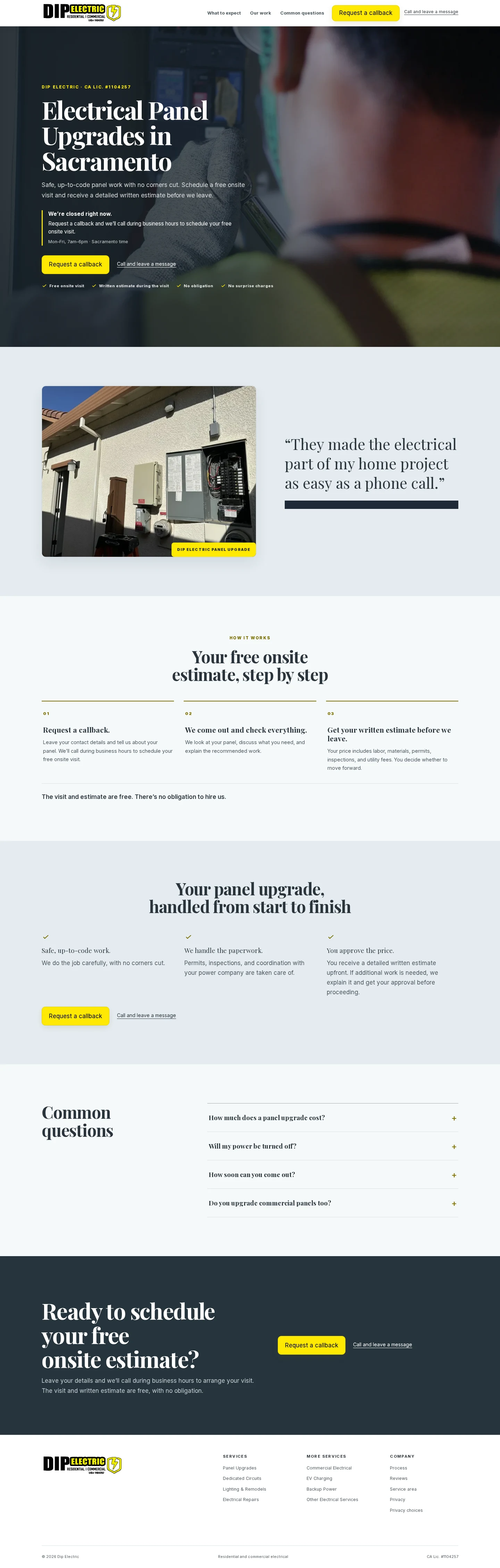
Landing-page & conversion design
Every page decision had a practical job: help someone recognize the right service, understand the offer, and make contact with enough context for a useful next conversation.
Match the service to the search
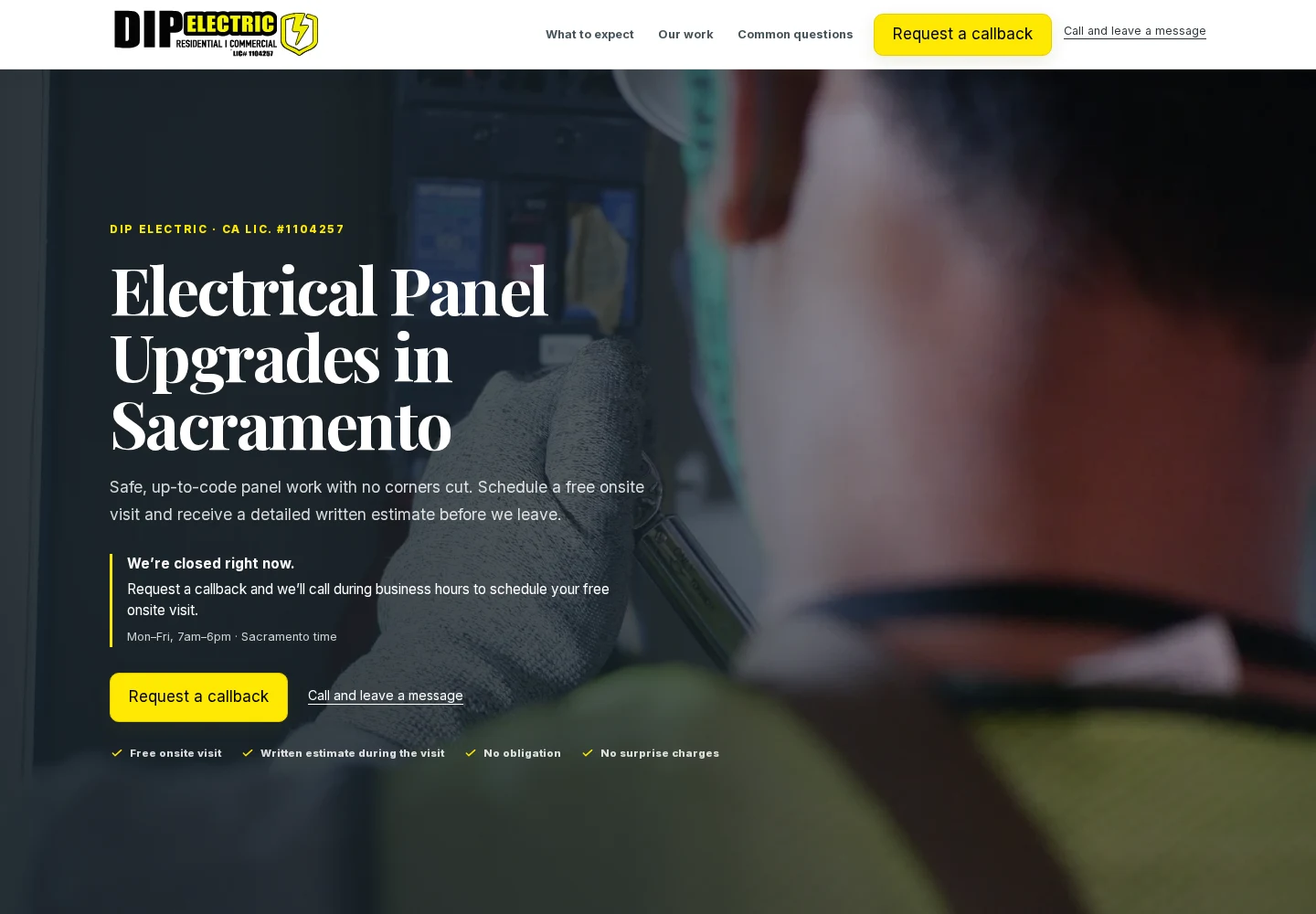
A panel-upgrade inquiry lands on a page about panel upgrades in Sacramento. The headline, supporting copy, and next step stay close to what that visitor needs.
Make the next step clear
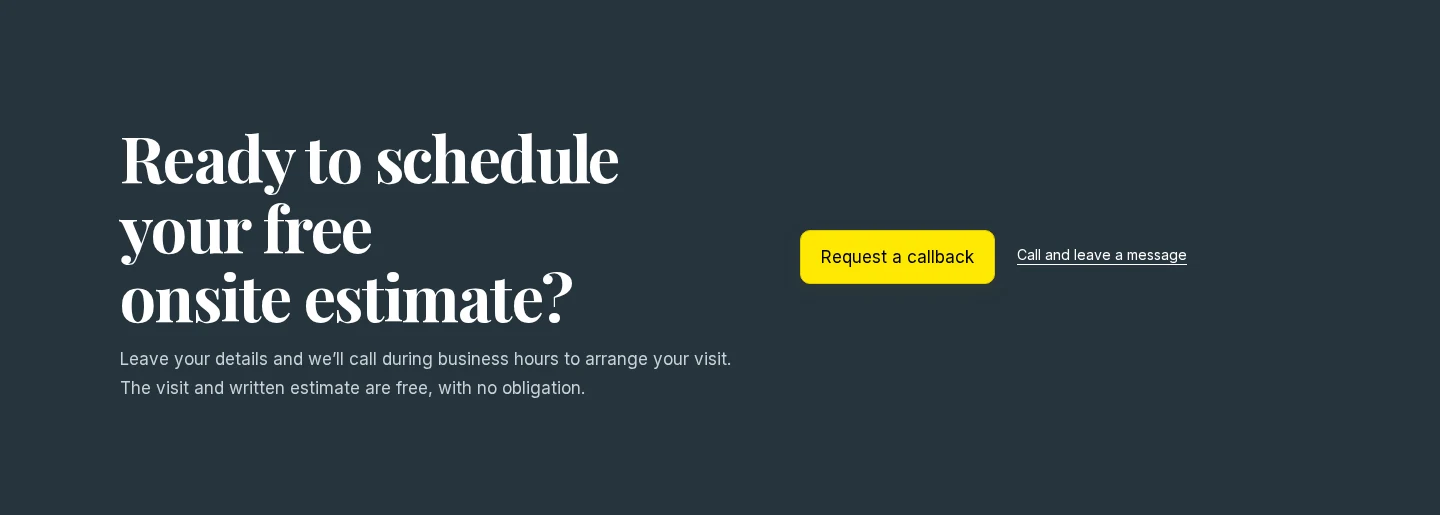
The page explains the free onsite visit and written estimate before asking for action. A prominent call button and a callback option give visitors two clear ways to start.
Put reassurance near the decision
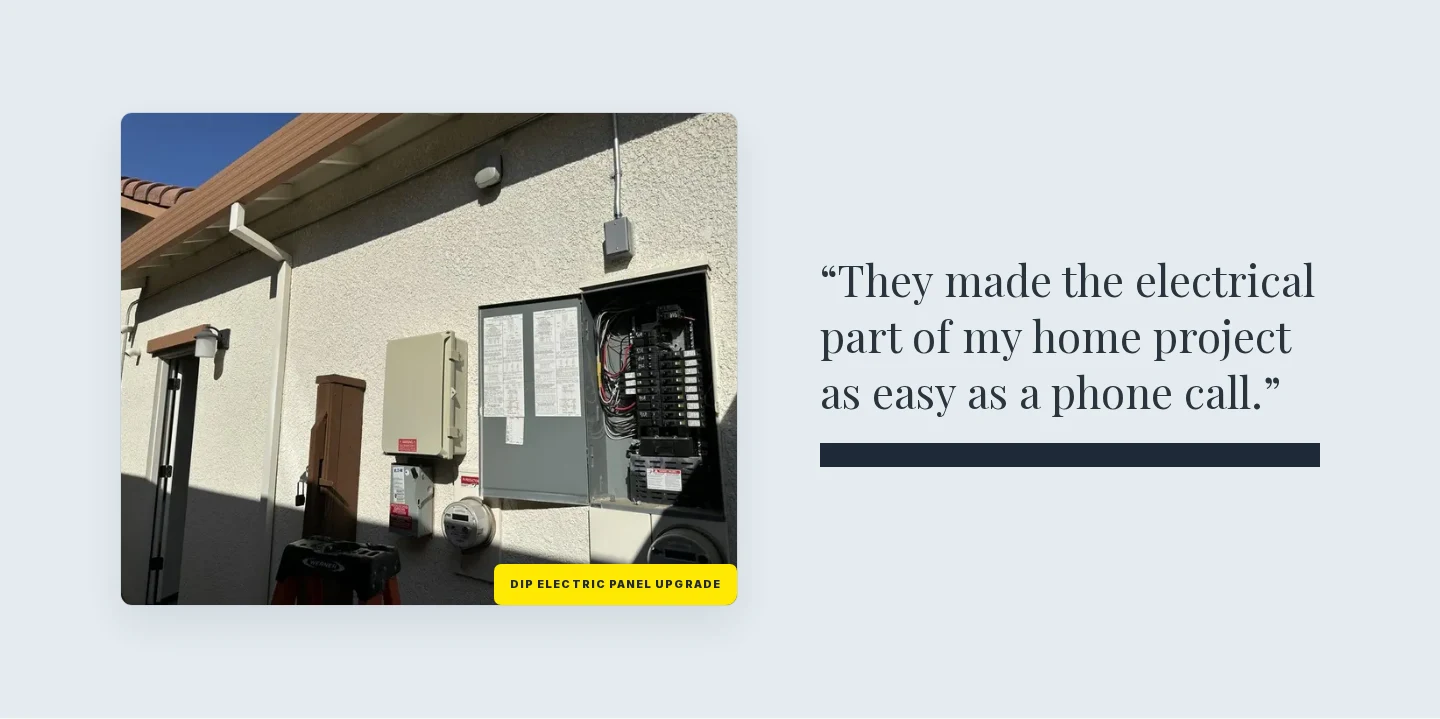
Licensing, project photos, and the estimate process help answer practical questions: can this contractor do the work, what happens next, and what am I committing to?
Design for a phone screen
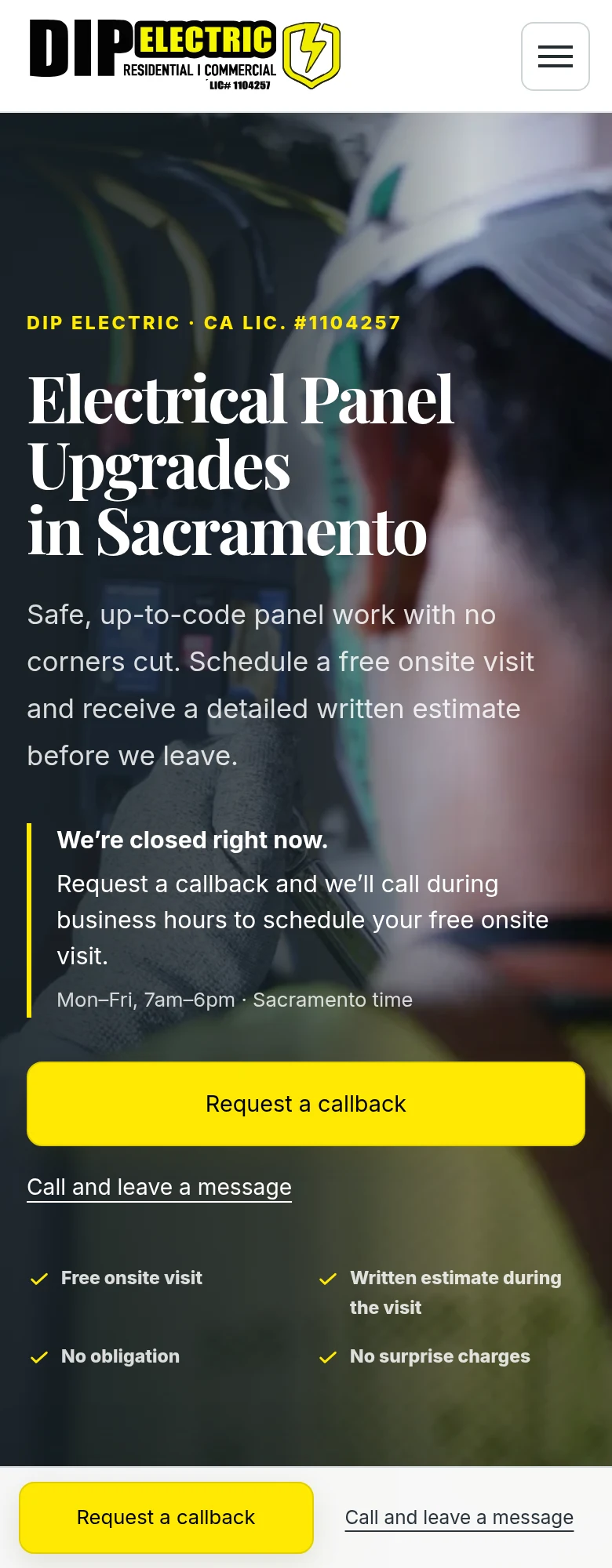
The mobile page keeps the service message readable and the call and callback actions within reach. Visitors can choose the path that suits them without hunting through the navigation.
Break the inquiry into manageable steps
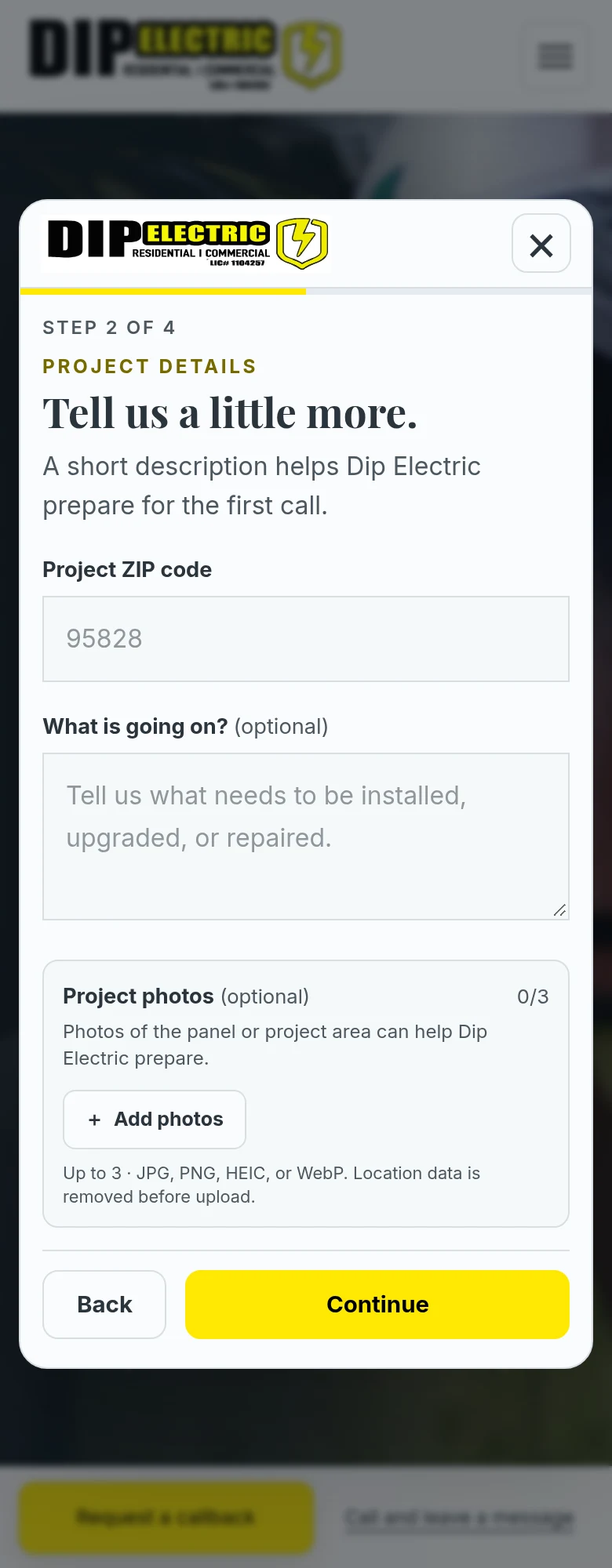
The estimate flow separates service selection, project details, callback preferences, and contact information. Optional photos and details can give the contractor context before the conversation.
Keep the page useful after hours
The call and callback hierarchy responds to business hours. The experience gives someone who cannot reach the contractor immediately a clear way to leave an inquiry.
View the full desktop page
Tracking & attribution
Meta Pixel · UTM/source attribution · Custom CRM
A form fill is one step in the measurement plan. The useful question is whether an inquiry becomes a conversation, an estimate, and eventually a customer.
Page → action
Compare call clicks, form starts, and completed inquiries by service page and device. A call click is an intent signal; it is not proof of a connected call or a customer.
Action → inquiry
Preserve available campaign parameters, click identifiers, referrer, and landing path with the inquiry. Fire the successful-lead event after the form has been accepted.
Inquiry → outcome
Use the CRM lead record and status history to support follow-up through estimate and customer stages. The architecture is designed to connect acquisition context to business outcomes as records are maintained.
A custom application for handling leads
I built the CRM that receives and organizes the inquiries. Its lead records bring together the requested service, project details, contact information, callback preferences, and available acquisition context.
The internal screens support reviewing leads, updating pipeline stages, adding notes, and managing follow-up. Behind those screens, server actions validate changes and record activity so the business can follow what happened to an inquiry over time.
What I would measure and improve next
These are questions to monitor and ideas to evaluate as reliable data becomes available.
Form completion
Where do visitors leave the estimate flow? Review each step before adding more required fields.
Calls and callback requests
How does the preferred contact path change by device, service, and business hours?
Proof placement
Does placing a relevant project example closer to the main CTA help visitors decide? This is a hypothesis to evaluate.
Service-message match
Do search terms and the landing-page promise describe the same job? Use inquiry context to spot mismatches.
Mobile friction
Check readability, tap targets, form errors, and the distance between a question and its next action.
Lead quality and follow-up
Track which inquiries become useful conversations and estimates, and where follow-up stalls.
Results
Performance results are private at the client’s request. This case study focuses on the strategy, digital experience, technical implementation, and measurement infrastructure behind the work.
The project produced a working acquisition and lead-management foundation that connects the website, service-specific conversion paths, lead intake, source attribution, communications, and downstream reporting.
What I learned
A useful lead-management system starts with the customer’s next step and follows the inquiry into the business. Page structure, attribution, validation, and CRM records need to work together for that journey to be measurable.
From business problem to working experience
Let’s talk about the pages, acquisition paths, and marketing systems you need to build or improve.